The product, on screen
See it working.
Eight screens from the running system, in the order a working day moves through them. Nothing here is a mockup — the columns, the lens names and the totals are the ones the software actually keeps.
Every patient name, MRD number, clinician name, phone number and email in these captures has been replaced with a synthetic value. No real patient data appears on this page.
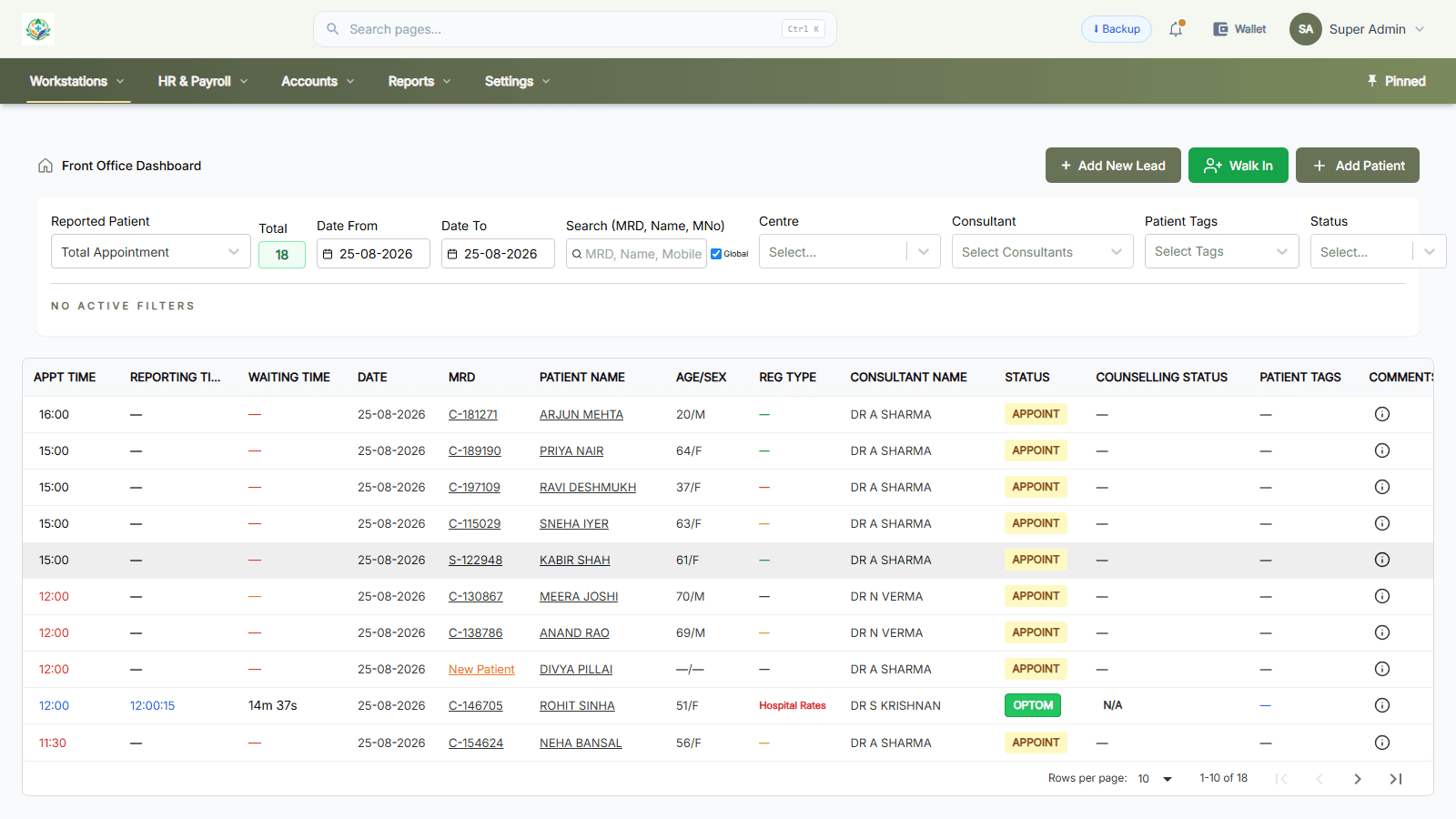
01Front office
The day, as the front desk sees it
Every appointment for the day on one screen — with the waiting time running, so nobody has to ask who has been sitting longest.
- MRD carried on every row
- Live waiting time per patient
- Status moving through appointed, registered, dilating
- Counselling status alongside the visit
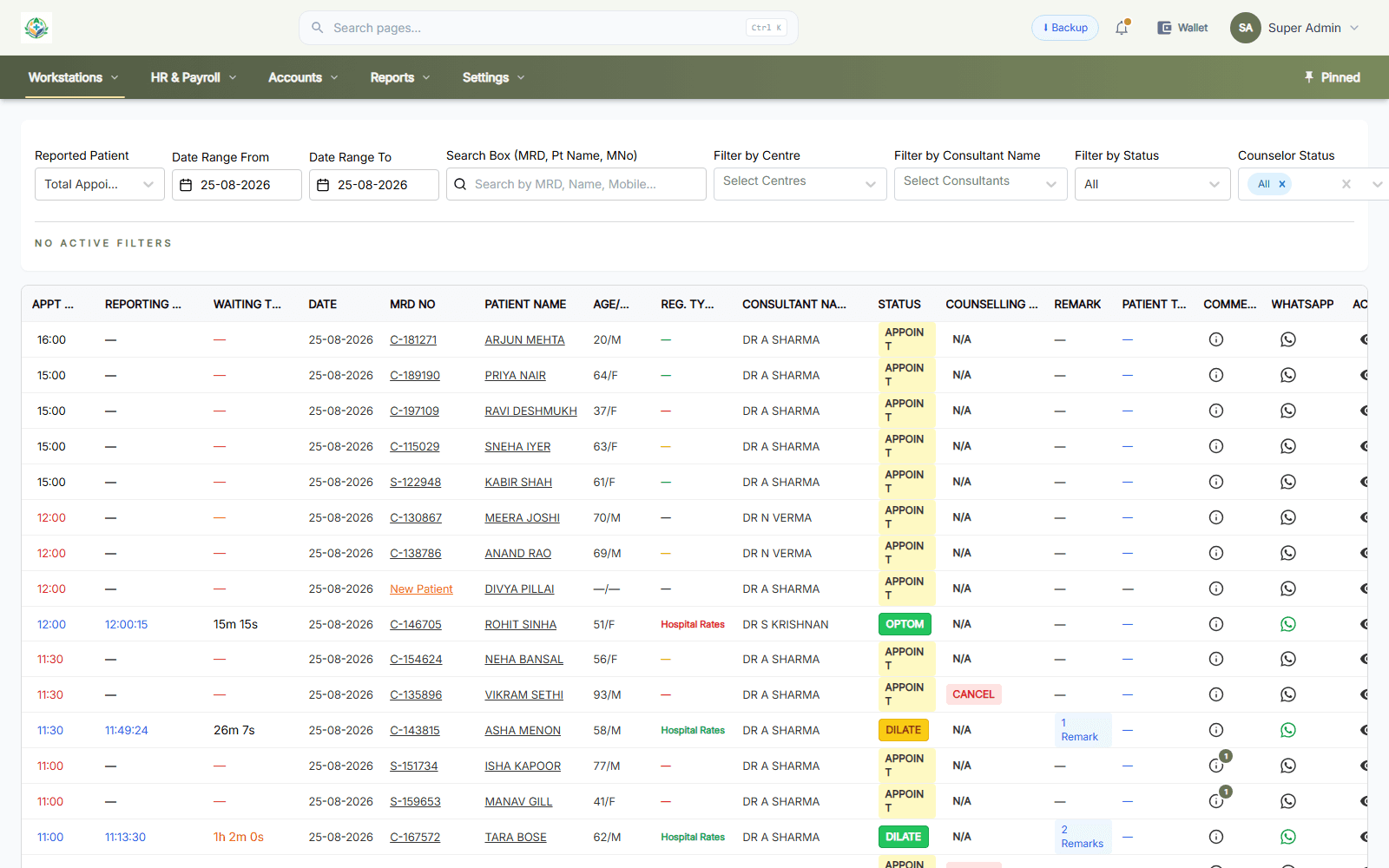
02Doctor
The consultant's own list
The same day filtered to one doctor, with the patients who have already been worked up marked and ready.
- Registration type and billing basis per row
- Dilation flagged before the patient is called
- Remarks and comments held against the visit
- WhatsApp reachable from the row
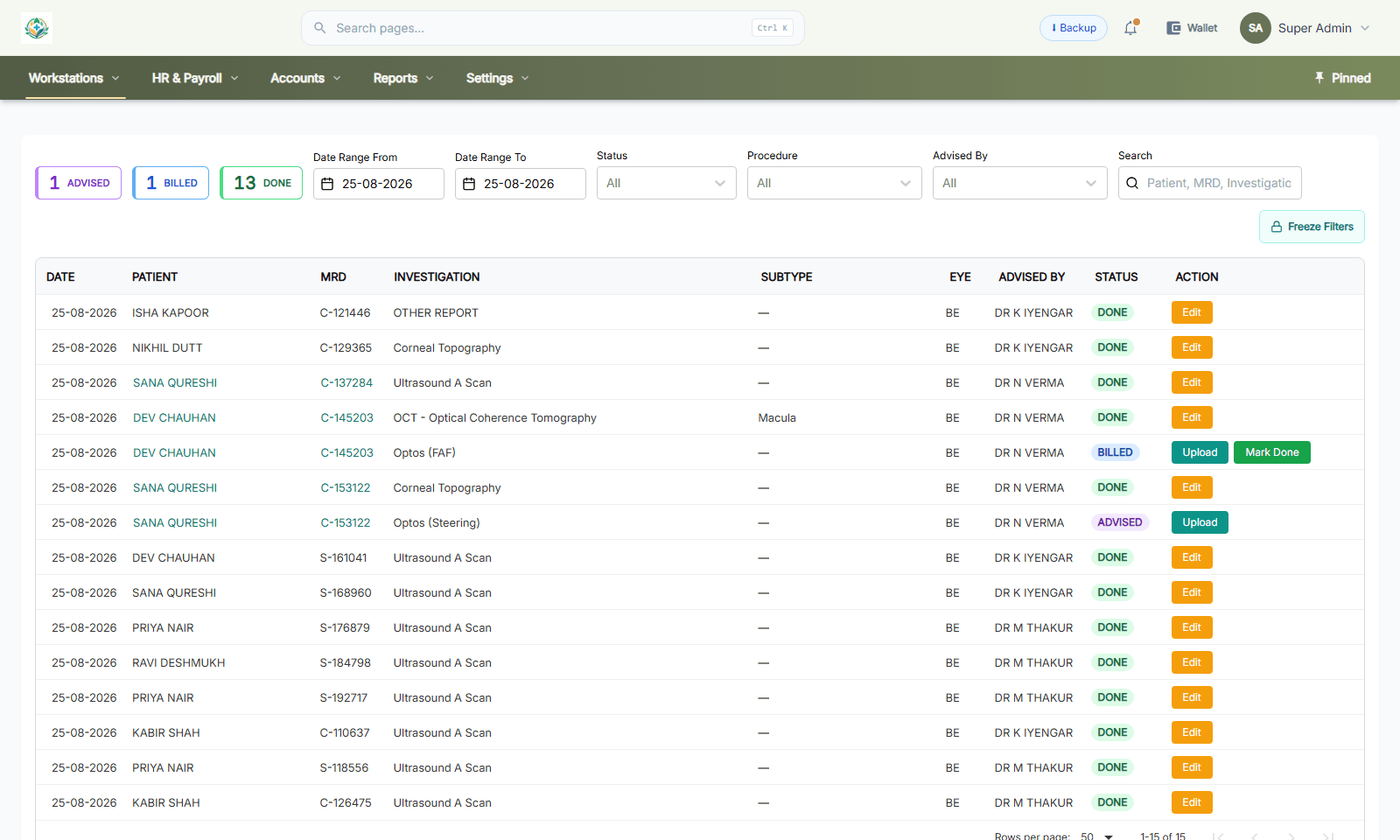
03Investigations
Eye diagnostics, ordered and tracked
The studies an eye hospital actually runs — not a generic lab order form.
- OCT, corneal topography, Optos and A-scan by name
- Subtype recorded — macula, FAF, steering
- Which eye the study was for
- Advised, billed and done as separate states
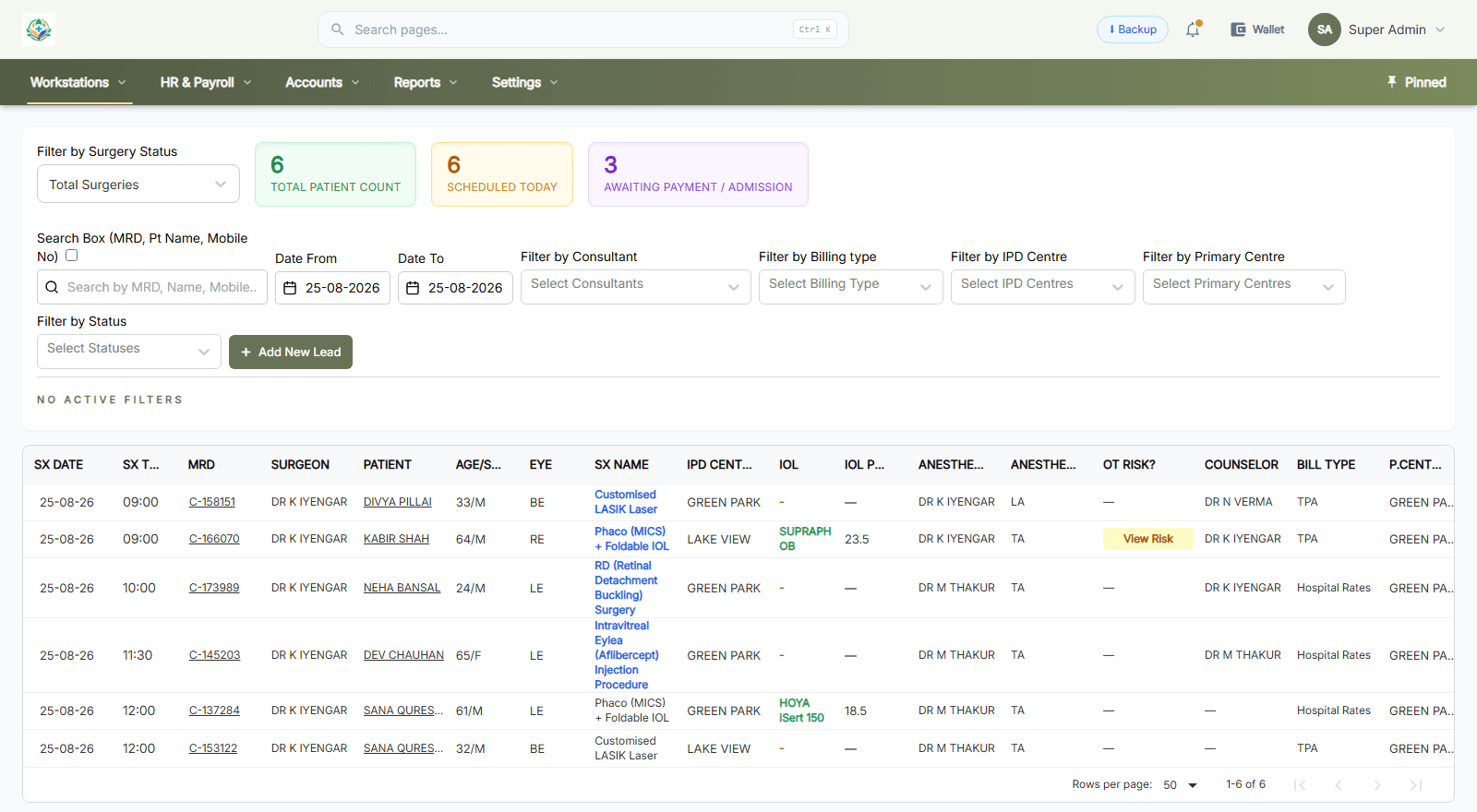
04Theatre
The surgical list, with the lens on it
The theatre day-book. The procedure, the eye, the surgeon, the anaesthetist and the implant sit on one row, because in an eye hospital they are one decision.
- Phaco MICS, retinal detachment, LASIK and intravitreal cases together
- Eye marked per case — RE, LE, BE
- IOL and IOL power against the case
- Anaesthetist, anaesthesia type and OT risk
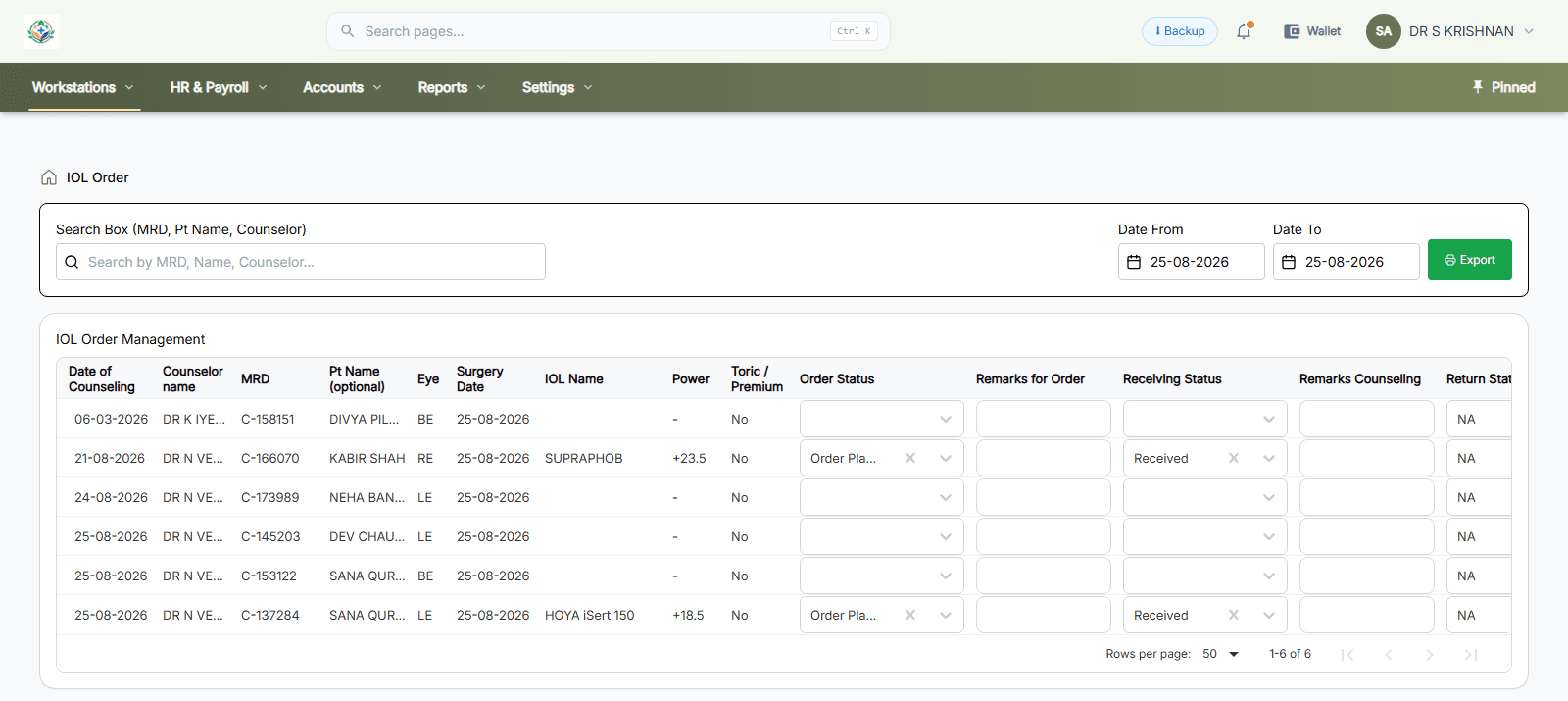
05Implants
Every IOL traced to a patient
Lenses are ordered against a named patient before surgery and received against that order — so a recall is a search, not a store-room afternoon.
- Lens by brand and model
- Dioptre power per eye
- Toric and premium flagged separately
- Order and receiving status tracked apart
06Inventory
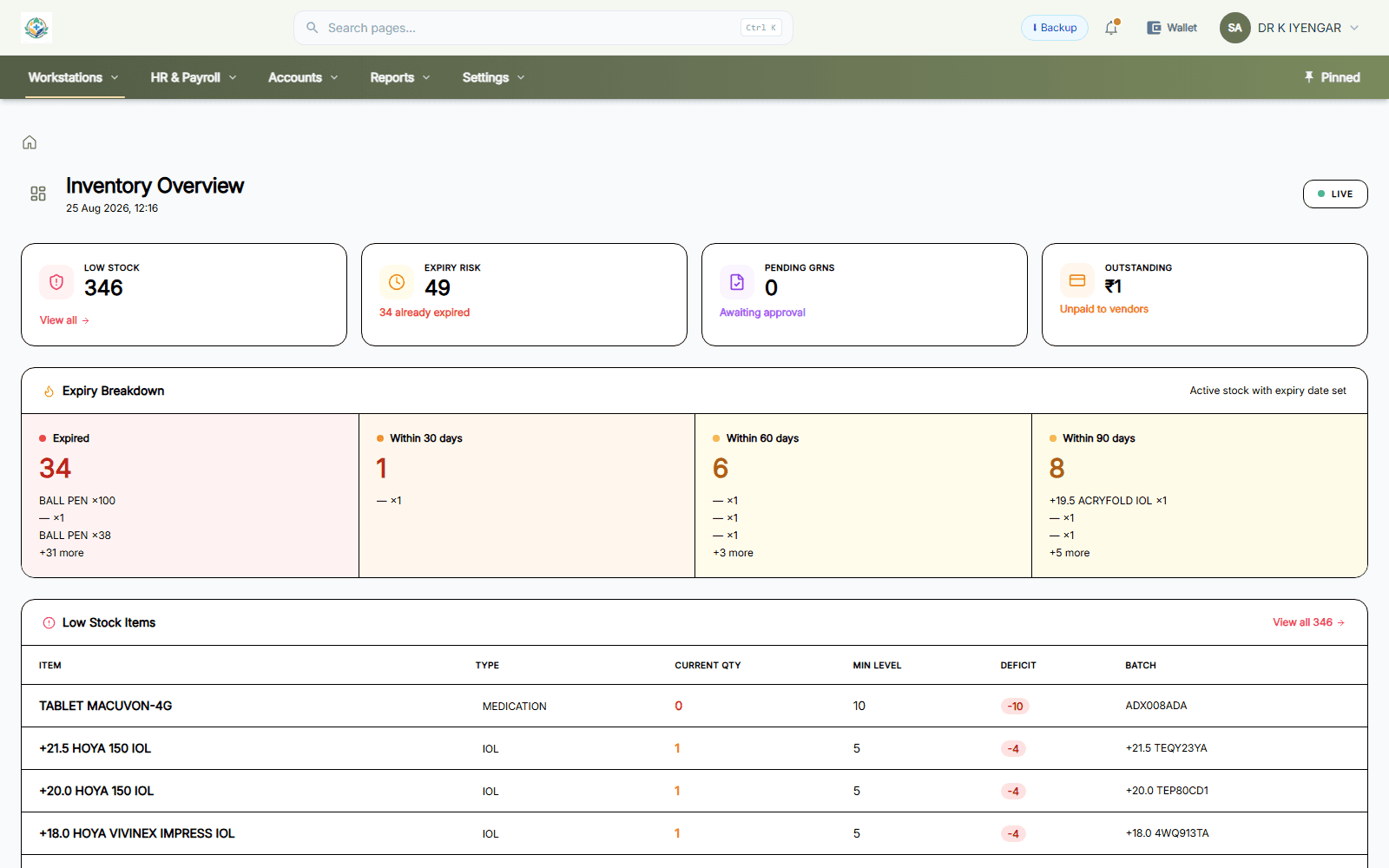
Stock that knows what expires
Batch and expiry are not an afterthought on an eye-hospital store — an expired IOL or an out-of-stock injection stops a theatre list.
- Low stock and expiry risk counted separately
- Expiry broken into 30, 60 and 90 days
- IOL powers held as distinct items
- Batch code against every line
07Pharmacy
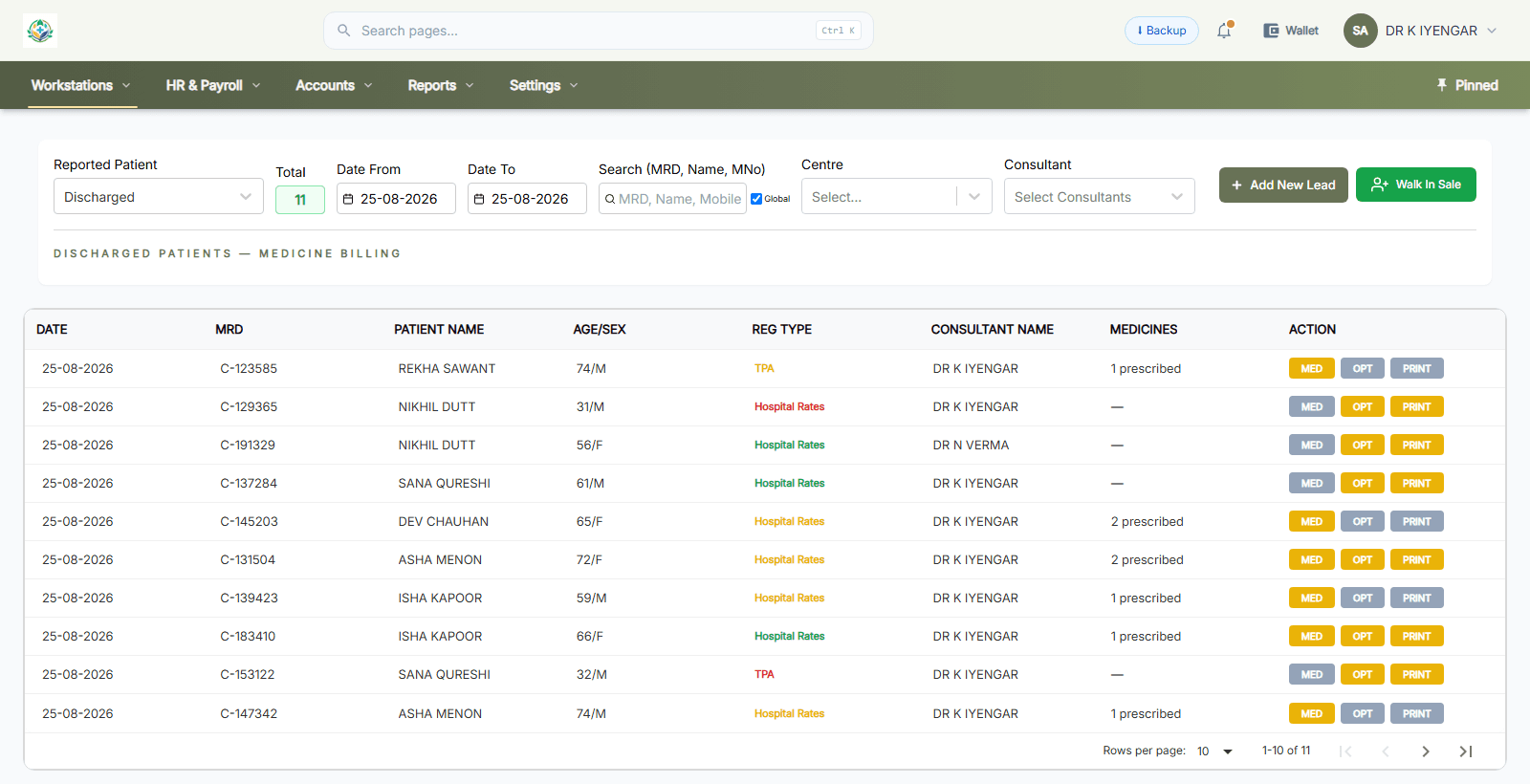
Dispensing off the prescription
The pharmacy sees what the doctor prescribed, against the same visit — nothing is re-typed at the counter.
- Discharged patients queued for medicine billing
- Prescription count per visit
- Billing basis carried through — hospital rates or TPA
- The consultant who prescribed
08Accounts
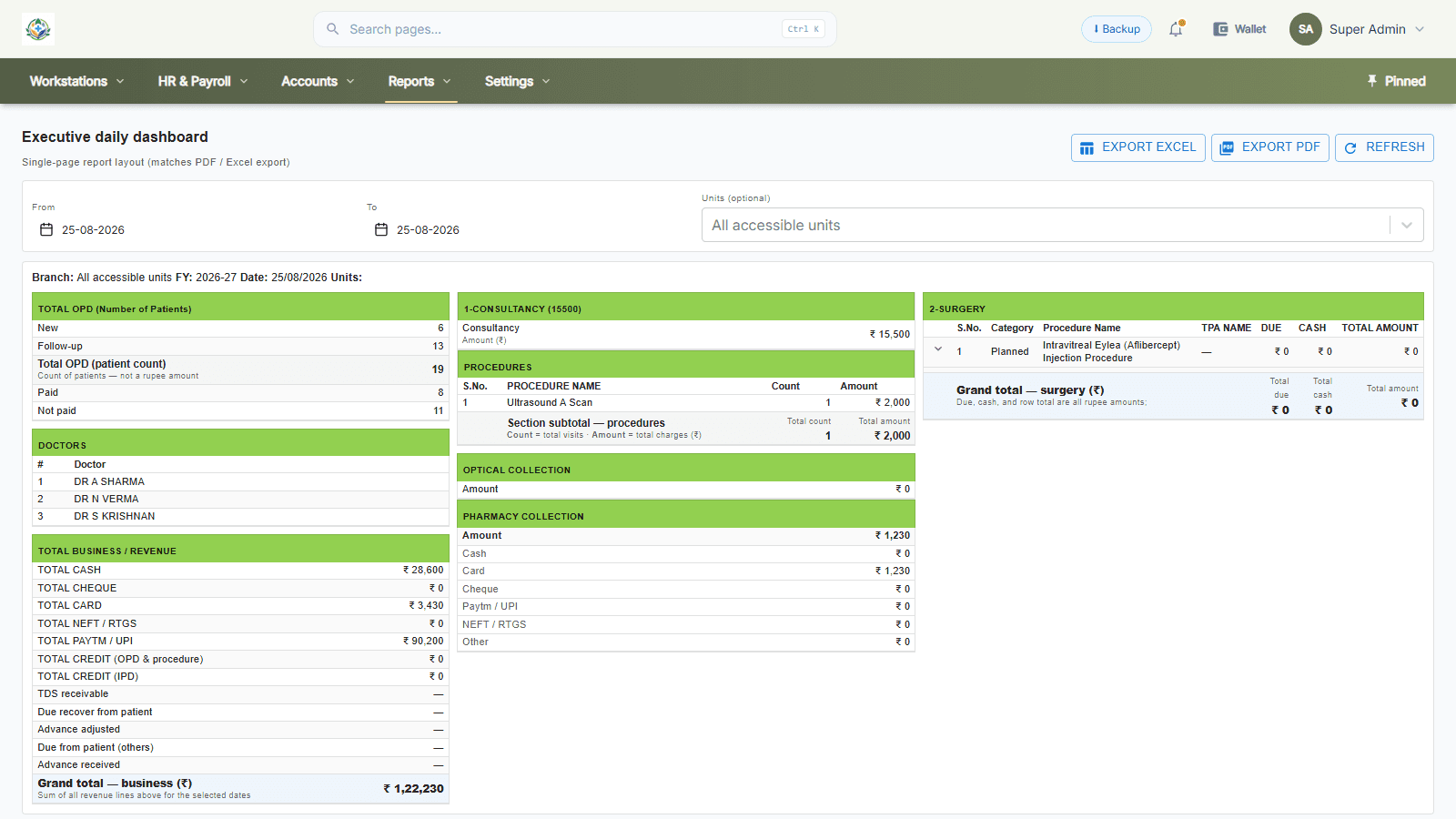
The day closes by itself
One page that matches the PDF and Excel export — OPD count, payment modes, procedures, pharmacy and surgery in one reconciliation.
- New against follow-up, paid against unpaid
- Cash, card, UPI, cheque and credit split out
- Procedures counted and totalled by name
- Planned surgery listed with TPA and dues
That was eight screens.
The rest — IPD, counselling, CSSD, HRMS, purchase, credit and claims — works the same way, on the same record.